




Located on the 9th floor of 10 York Rd, this versatile meeting room is designed to accommodate both traditional meetings and content creation production.
When reserved through the website or app, the room will be set up in a standard meeting room configuration.
See below for details on using the room as a content creation studio.


You can reserve Studio 9 via members.wework.com or via the WeWork app under the “Rooms” category, lookout for "Studio 9".
The producer's interface: Scarlett 18i16 features 18 inputs and 16 outputs, including four mic preamps, Hi-Z, line inputs, ADAT, S/PDIF, and MIDI I/O. Capture everything: The 4th Generation preamps provide 69dB of gain, with two Hi-Z inputs and eight line inputs for versatile connectivity. Audio quality beyond its class: Equipped with 24-bit, 192kHz converters from our flapship RedNet range, offering a 122dB dynamic range for detailed recordings.
This 26" (65cm) lantern softbox delivers wide, balanced, and 360° shadow-free light coverage. Paired with the NEEWER FS150B Video Light, it offers 2.4G and app control for seamless operation. Featuring 130W bi-color COB technology, this silent continuous output light provides precise dimming with four modes, up to 72,000 lux at 1m, a color temperature range of 2700K-6500K, an impressive CRI of 97+, and 12 creative lighting effects.

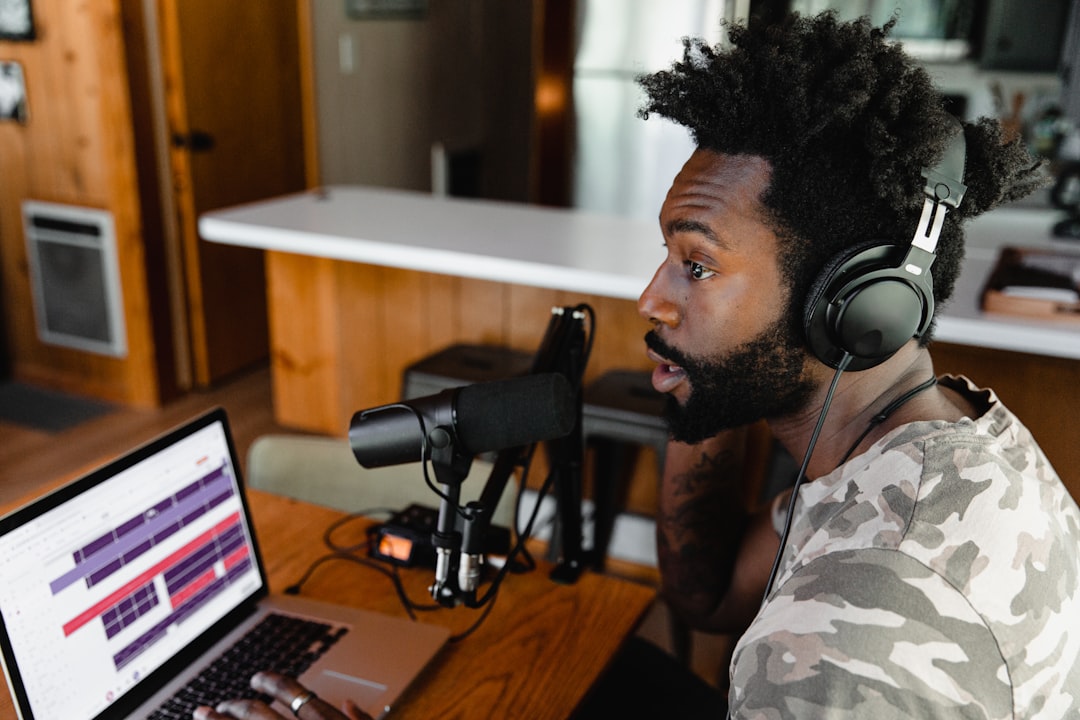

Yes, existing 10 York Rd members can reach out to the community team at the 9th floor community bar to schedule a viewing on the day only, subject to Studio 9's availability.
For non-members, we do not offer viewings. Due to the live booking system, the studio may be booked by any member at any time, making it difficult for the community team to confirm the room's availability for viewing at your desired date and time.
All meeting room bookings can be made via members.wework.com or via the WeWork app under the “Rooms” category, lookout for Studio 9.
Equipment Loan booking can be made by emailing the community team at waterloo@wework.com
You can check the availability of Studio 9 in real-time via members.wework.com or the WeWork app under the “Rooms” category, where you can find Studio 9 listed. Please note that Studio 9 is available only on weekdays (excluding bank holidays) between the hours of 9am and 6pm as a content creation studio, or 8am to 8pm for meeting room use only. The professional support package is available 24/7, seven days a week.
To receive a full refund, members must cancel within 24 hours of the booking date. Please note that if you have a meeting room, equipment loan, or professional support package booking, each must be cancelled individually cancelling one does not cancel the others. For assistance, please email waterloo@wework.com
The number of guests permitted is limited to the capacity of the booked meeting room. The guests will be permitted to access the premises only during the booking period. As a member, you are responsible for all actions conducted by your guests. You are required to be present in the building when your guests visit, be responsible for their evacuation in case of emergency, and to ensure they report to the onsite Community team any incidents that may occur during their visit. Guests are not allowed in the building if the member is not there to meet them.
Filming and photography at WeWork are allowed in reserved spaces like Studio 9 with prior approval.
Members must:
• Notify the Community Team about your plans via email: waterloo@wework.com
• Complete and Sign the WeWork Filming Agreement
• This agreement must be completed, signed, and approved in advance of your booking. Please note that this process may take more than 24 hours, so we recommend completing it well ahead of your booking date.
• Filming in common areas and outside of Studio 9 is not permitted to protect other members' privacy
These policies ensure that filming activities are conducted in a manner that respects the privacy and comfort of all members while providing the necessary resources for creative projects.
The Scarlett 18i16 4th Gen USB-C audio interface is compatible with a wide range of recording software both free and paid. Once connected, your microphone(s) will be recognised as an audio input, allowing seamless integration with virtually all audio recording programs. Additionally, you can download the free Scarlett Control App, which lets you manage the interface directly from your laptop. Alternatively, you can use the onboard controls for quick adjustments. Full manual instructions are available here
For Equipment Loan Package:
Once the equipment is installed by the community team, the equipment is self-service for the member. The community team is not responsible for teaching or operating the equipment on behalf of the member. Should you require support, assistance is available through the Professional Support Package.
For Professional Support Package:
Hire our event team to handle the setup and management of your podcast recording or upgrade to premium equipment and professional videography services.
We offer a range of additional options to enhance the production value of your podcast.
Please enquire for a tailored quote.
Studio 9 offers WiFi access with an average speed of 40 to 60 Mbps. Please note that there is no Ethernet connection available.
• WeWork members and On-Demand users: Connect to the internet via the "WeWorkWiFi" network. You can find your WiFi credentials at https://wifi.we.co or through the WeWork app (under Profile > Settings > WiFi).
• WeWork guests: Connect via the "WeWorkGuest" network.
For more information, please visit our support page: How to connect to WiFi.
Yes! We encourage our members to get creative with the space, and we’re happy to help move any furniture or plants around for you. However, they must remain inside the room, and the space should be returned to its original layout at the end of your booking.
Please note, we do not permit the use of Blu-Tack, tape, or anything hung on the walls or ceiling. Members will be held responsible for the cost of repairing any damage to the space and/or furnitures.
WeWork doesn’t have any camera as part of the equipment loan package, however, you can rent one via the our Professional Support Package
Yes, you can bring your own camera or audio recording equipment. However, please ensure you request the Film Release Location Agreement from the community team. This agreement must be completed, signed, and approved in advance of your booking. Please note that this process may take more than 24 hours, so we recommend completing it well ahead of your booking date.
Yes, private parking is available upon request. Please contact the community team at waterloo@wework.com to arrange this.
Yes, you are welcome to bring your own food and drinks. Additionally, we have a WeWork Market available 24/7 where you can purchase drinks and snacks. A members' kitchen is also available, offering breakfast and lunch during weekdays (excluding bank holidays). For a unique experience, you can enjoy our members-exclusive rooftop bar on the 16th floor check the opening schedule here.
No, On Demand members can only book Studio 9 as a meeting room and then access the Professional Support package. Equipment loans service are not available for this membership type. Consider upgrading your membership to access additional benefits, including equipment loans service.
Disclaimer: © 2020 WeWork. The WeWork trademark and related logos are the property of WeWork Companies LLC. Photographs contained herein may be representative examples of various WeWork locations and do not necessarily depict the exact design of WeWork location referenced on the website. While reasonable efforts have been made to check the accuracy of the information contained here, WeWork, its officers, employees, directors, and representatives, make no warranty, express or implied, regarding the accuracy of the information and disclaim any liability arising from the use of the information contained herein. All dimensions are approximate and subject to variances. It is your obligation to independently verify particulars of the property. WeWork reserves the right to make changes.


